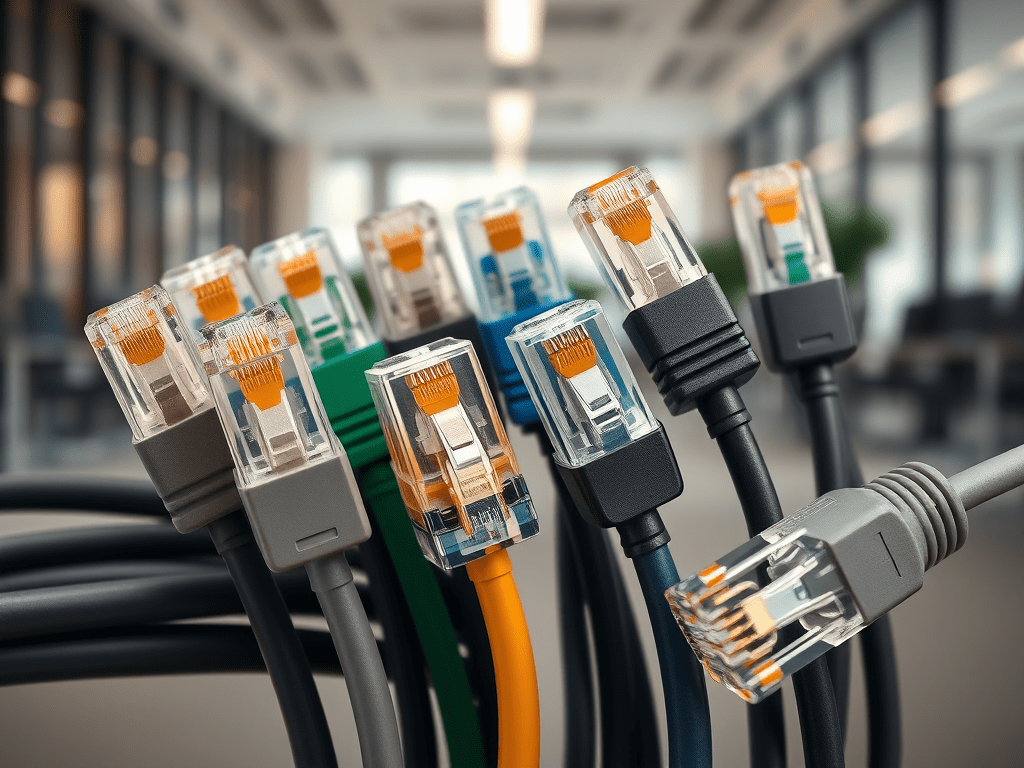
• Optimize Gaming with Cat6 Patch Cables

    How Cat6 Patch Cables Improve Gaming & Streaming Performance (2025)

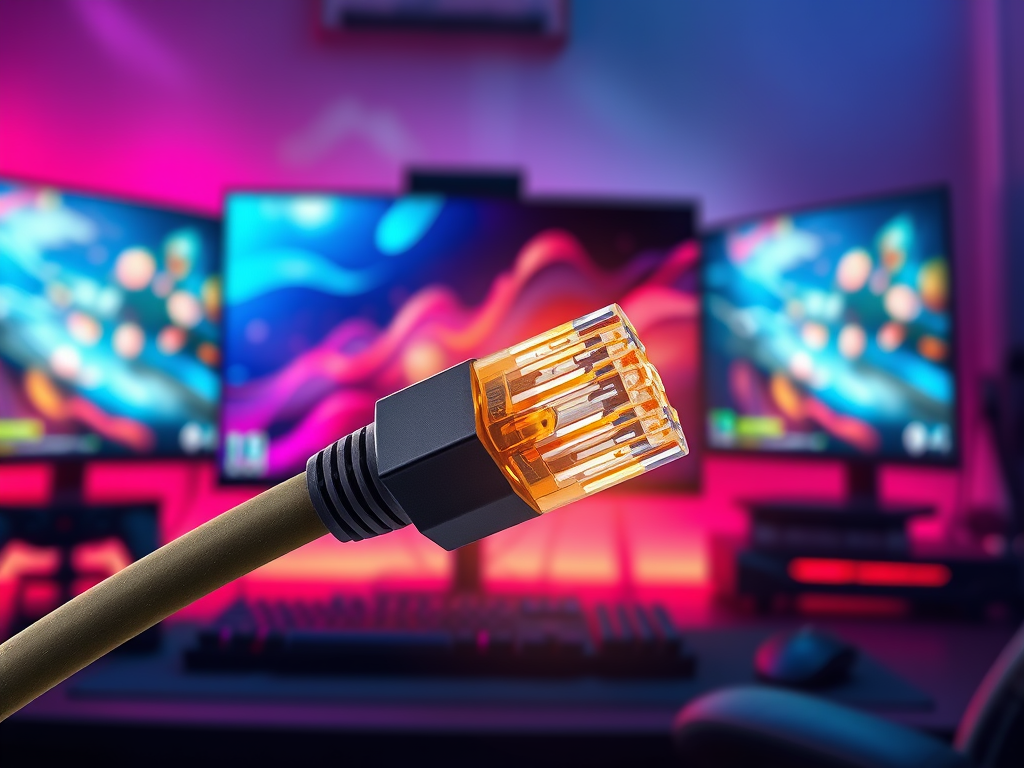
    When every millisecond counts, your network cable can make the difference between a smooth stream and endless buffering — or a game-winning kill and frustrating lag. That’s why Cat6 patch cables have become the go-to choice for gamers, streamers, and professionals who demand top-tier performance. At ConversionsTech, we provide Cat6 cables engineered to outperform competitors like Belden, Southwire, and Cable Matters with better build quality, faster logistics, and superior support.

    🎮 Why Gamers Choose Cat6

    • Lower Latency: Cat6 offers reduced crosstalk and cleaner signals, cutting lag during online play.
    • Higher Bandwidth: With 250 MHz capacity, Cat6 ensures smoother connections for multiplayer and competitive gaming.
    • 10 Gbps Ready: Perfect for modern consoles, PCs, and high-speed routers.

    📺 Why Streamers Choose Cat6

    • Stable Uploads: Cat6 ensures consistent bandwidth for live streaming on Twitch, YouTube, and Facebook.
    • 4K & 8K Video Ready: Handle high-bitrate video streaming without frame drops.
    • Future-Proof: Built for next-gen streaming platforms and ultra-fast fiber connections.

    📊 Cat6 vs Cat5e vs Cat6a

    CategoryBandwidthMax SpeedBest For
    Cat5e100 MHz1 GbpsBasic browsing, small offices
    Cat6250 MHz10 Gbps (up to 55m)Gaming, streaming, PoE devices
    Cat6a500 MHz10 Gbps (up to 100m)Data centers, enterprise-level networking

    ⚖️ ConversionsTech vs Competitors

    Here’s how our Cat6 patch cables stack up against leading brands:

    BrandPerformanceDurabilityPriceCustomer Service
    BeldenExcellentHighPremiumStandard
    SouthwireGoodMediumMid-rangeStandard
    Cable MattersGoodMediumBudgetLimited
    ConversionsTechExcellent (10 Gbps ready)High (snagless, gold-plated connectors)Competitive pricingUSA-based expert support

    🤔 FAQs About Cat6 for Gaming & Streaming

    1. Will Cat6 reduce lag in online gaming?

    Yes — Cat6 minimizes crosstalk and latency, giving you a more stable gaming experience compared to Cat5e.

    2. Is Cat6 better than Wi-Fi for streaming?

    Absolutely. While Wi-Fi fluctuates, Cat6 provides a consistent wired connection, ideal for 4K/8K streaming.

    3. Do I need Cat6a instead?

    Not unless you’re wiring a data center. For most homes and offices, Cat6 provides the best balance of speed, cost, and performance.

    📞 Upgrade Your Gaming & Streaming Setup Today

    Don’t settle for lag or buffering. Upgrade to ConversionsTech Cat6 patch cables for unmatched gaming and streaming performance. With certified quality, durable design, and competitive pricing, we deliver cables trusted by professionals, gamers, and streamers nationwide.

    Contact us: sales@conversionstech.com | +1 (310) 735-4098

  • Cat6 vs Cat5e: Best Ethernet Cable for 2025

    Cat6 vs Cat5e: Which Ethernet Cable Should You Choose in 2025?

    Choosing the right Ethernet cable can make or break your network performance. Two of the most common types are Cat5e and Cat6 patch cables. While Cat5e has been a reliable standard for years, Cat6 delivers higher speeds, more bandwidth, and stronger performance for modern applications. In this guide, we’ll compare Cat5e vs Cat6 head-to-head so you can decide which one fits your needs in 2025.

    🔎 What is Cat5e?

    Cat5e (Category 5 Enhanced) is an improvement over the original Cat5 standard. It supports 1 Gbps speeds up to 100 meters and has a frequency bandwidth of 100 MHz. Cat5e is widely used in older home networks and small businesses, making it a cost-effective option for basic connectivity needs.

    Common Uses of Cat5e:

    • Basic home internet connections
    • Streaming in HD quality
    • Small office networks
    • Devices that don’t require high bandwidth

    ⚡ What is Cat6?

    Cat6 (Category 6) is the next-generation standard, designed for faster speeds and reduced interference. It supports up to 10 Gbps speeds for runs up to 55 meters, and up to 1 Gbps for full 100-meter runs. With a frequency bandwidth of 250 MHz, Cat6 cables deliver lower latency and higher reliability.

    Common Uses of Cat6:

    • 4K/8K video streaming
    • Online gaming with low latency
    • VoIP phones and conference systems
    • Power over Ethernet (PoE) devices like security cameras and access points
    • Office networks requiring high-speed data transfer

    📊 Cat5e vs Cat6: Side-by-Side Comparison

    FeatureCat5eCat6
    Bandwidth100 MHz250 MHz
    Max Speed1 Gbps (up to 100m)10 Gbps (up to 55m)
    Data Center ReadyNoYes
    PoE+ SupportLimitedFull support
    CostLowerSlightly higher (but worth it)

    💡 Which One Should You Choose?

    If you’re setting up a new network in 2025, Cat6 is the clear winner. While Cat5e may still work for simple connections, Cat6 gives you higher speeds, better performance with streaming and gaming, and full support for modern technologies like PoE and VoIP.

    Considering the small difference in cost, Cat6 is a future-proof investment for both home and office networks.

    ✅ Why Choose ConversionsTech Cat6 Patch Cables?

    • Certified Performance: All cables meet or exceed EIA/TIA standards.
    • High Durability: Snagless boots and gold-plated RJ45 connectors.
    • Multiple Lengths: Available from 1ft to 100ft to suit any setup.
    • Shielded & Unshielded: Options for both high-interference and standard environments.
    • Fast Delivery: Quick shipping and logistics across the U.S.

    🤔 FAQs About Cat5e vs Cat6

    1. Can Cat6 cables work with Cat5e devices?

    Yes, Cat6 is backward-compatible with Cat5e ports and devices. You’ll still get performance benefits in most setups.

    2. Is Cat6 worth the extra cost?

    Yes — with faster speeds, higher bandwidth, and future-proofing, Cat6 is well worth the small price difference.

    3. Can Cat5e handle 4K streaming?

    It can handle HD, but for 4K and beyond, Cat6 is recommended for better performance and lower latency.

    4. How long can a Cat6 cable run?

    Up to 100 meters, though speeds above 1 Gbps are guaranteed only up to 55 meters.

    📞 Upgrade to Cat6 Today

    Don’t let outdated cabling slow you down. Browse our full collection of Cat6 patch cables today and experience faster speeds, better streaming, and future-ready connectivity.

    Contact us: sales@conversionstech.com | +1 (310) 735-4098

  • Ultimate Guide to Cat6 Patch Cables

    The Complete Guide to Cat6 Patch Cables: Speed, Performance & Buying Tips (2025)

    When it comes to building a reliable, high-speed network, Cat6 patch cables are the gold standard for both home and business. At ConversionsTech, we supply premium Cat6 patch cables designed for performance, durability, and efficiency — helping IT professionals, contractors, and homeowners get the best connectivity without compromise.

    🔎 What is a Cat6 Patch Cable?

    A Cat6 patch cable (Category 6) is a twisted-pair Ethernet cable used to connect devices such as computers, routers, switches, and patch panels. Unlike bulk Cat6 cable that’s cut and terminated during installation, patch cables come pre-terminated with RJ45 connectors, making them plug-and-play ready for immediate use.

    ⚡ Cat6 vs Cat5e vs Cat6a: Key Differences

    CategoryBandwidthMax SpeedMax DistanceBest For
    Cat5e100 MHz1 Gbps100mBasic home networks
    Cat6250 MHz10 Gbps (up to 55m)100mOffices, gaming, streaming, PoE
    Cat6a500 MHz10 Gbps (up to 100m)100mData centers, enterprise

    💡 Why Choose ConversionsTech Cat6 Patch Cables?

    • Superior Quality: Gold-plated RJ45 connectors and snagless boots reduce interference and extend cable life.
    • Range of Sizes: Available in multiple lengths (1ft–100ft) to fit any setup.
    • Shielded & Unshielded Options: Choose between STP for noisy environments or UTP for general use.
    • PoE+ Compatible: Supports Power over Ethernet for VoIP phones, cameras, and access points.
    • Fast Shipping: With our logistics network, you get the right cables, on time.
    • USA-Based Support: Our team is here to help with technical advice and order support.

    📌 Applications of Cat6 Patch Cables

    Cat6 patch cables are used across industries and home setups:

    • 🏠 Home Networks: Reliable for 4K streaming, smart TVs, and gaming consoles.
    • 🏢 Business Offices: Ideal for VoIP, conference systems, and workstations.
    • 🎮 Gaming: Low latency and high speed for competitive play.
    • 🏗️ Construction & Data Centers: Works seamlessly with patch panels, racks, and PoE devices.

    🛠️ Cat6 Patch Cable Installation Tips

    • Avoid tight bends — maintain at least a 1-inch bend radius.
    • Do not exceed 100 meters per cable run.
    • Keep cables away from high-voltage power lines to minimize interference.
    • Use color-coded cables to simplify troubleshooting.

    🤔 FAQs About Cat6 Patch Cables

    1. Does Cat6 support PoE?

    Yes, Cat6 patch cables fully support PoE and PoE+ devices such as IP cameras, phones, and access points.

    2. Can I use Cat6 with Cat5e jacks?

    Yes, Cat6 is backward-compatible with Cat5e jacks and devices, though performance may be limited to Cat5e standards.

    3. What’s the max speed of Cat6?

    Cat6 can reach up to 10 Gbps speeds, but only up to 55 meters. For 100 meters, expect up to 1 Gbps.

    4. Do I need shielded Cat6 patch cables?

    Shielded Cat6 (STP) is recommended in high-interference environments (factories, data centers). For most home and office use, unshielded (UTP) is fine.

    5. Are ConversionsTech cables certified?

    Yes, all our Cat6 patch cables meet or exceed EIA/TIA standards for guaranteed performance.

    📞 Ready to Upgrade Your Network?

    Browse our full collection of Cat6 Patch Cables today. Whether you need 1ft or 100ft, ConversionsTech has you covered with the best balance of performance, price, and service.

    Contact us: sales@conversionstech.com | +1 (310) 735-4098

  • The Evolution of Coaxial Cables in Modern Networks


    Coaxial Cable: From Early RF Pioneers to Today’s Multi-Gig Networks — And Why Conversions Tech Coax Leads on Performance, Consistency, and Total Cost

    Summary (for skim readers):
    Coaxial cable (“coax”) is still the backbone for broadcast, CATV, DOCSIS cable-modem service, satellite, SDI video, RF test/measurement, and increasingly mixed-signal infrastructure in smart buildings, marine/RV, and campus environments. Its enduring value comes from controlled impedance, excellent shielding/EMI immunity, predictable attenuation across decades of frequency spectrum, and simple, field-proven termination. This guide walks through how coax works, what matters technically, where it’s used now, and how to choose the right construction. We then detail why many integrators, cable/internet providers, RV builders, and residential contractors standardize on Conversions Tech coax for day-to-day reliability, repeatable specs, and supply stability.

    Quick links:


    1) A Brief History: Why Coax Was—and Still Is—the RF Workhorse

    Coax emerged in the early 20th century as radio and telephony demanded low-loss, interference-resistant transmission lines. The concentric geometry—center conductor, dielectric, shield, jacket—created a uniform electromagnetic field confining energy between conductor and shield. Compared to open-wire or twisted pairs, coax gave designers controlled impedance and predictable attenuation over a wide band. By mid-century, it was standard in broadcast, radar, and lab instrumentation. In the 70s–90s, CATV and satellite scaled coax to the last mile and into homes. Even with fiber everywhere today, coax remains the dominant HF/VHF/UHF to microwave copper medium for:

    • DOCSIS cable modems and set-tops
    • Satellite L-band/IF distribution
    • RF distribution in DAS/SMATV/MATV
    • SDI video (3G/6G/12G) in production and venues
    • Antennas, instrumentation, test leads, and more

    Coax stays relevant because it balances cost, simplicity, EMI immunity, and bandwidth. And in buildings/RVs/marine, you can pull and terminate it quickly without fusion splicers, making expansions and service calls far faster.


    2) How Coax Works (The Field View): TEM Mode, Impedance, Shielding, and Loss

    TEM propagation. Coax carries a transverse electromagnetic (TEM) mode: electric and magnetic fields are confined within the dielectric between center conductor and shield. That confinement is what gives coax its famous EMI immunity and low radiation.

    Impedance (Ω). Most broadband RF/video infrastructure uses 75 Ω (RG6/RG11/RG59) because it minimizes attenuation for voltage-mode signals; test/measurement and RF power often use 50 Ω (RG58, RG8, LMR-type) trading slightly higher attenuation for power handling. Staying matched (75↔75, 50↔50) reduces reflections (return loss/VSWR) and protects SNR.

    Shielding effectiveness (SE). Foil + braid (or quad-shield) provides transfer impedance low enough to reject ingress/egress. The spec lives in dB of isolation across frequency; higher is better. Construction details—foil type (bonded/non-bonded), braid coverage %, pick angle, copper type/plating—determine real performance.

    Attenuation (dB/100 m). Loss increases with frequency via conductor skin effect and dielectric loss. Larger diameter (e.g., RG11) means lower loss than RG6 at the same frequency/distance. The dielectric (solid vs gas-injected/foamed) and conductor (solid copper vs copper-clad steel) matter, too.

    Velocity of propagation (VoP). A function of dielectric, VoP impacts timing and SDI limits. Gas-injected foams raise VoP, reducing dispersion.

    Mechanical & environmental. Jackets (PVC/PE/LSZH), messengered aerial options, UV stabilizer packages, cold-bend/cold-impact performance, and direct-burial waterproofing are what keep installations alive for decades—not just the sweep chart.

    If you want a deeper dive, our engineers can share lab plots for typical Conversions Tech constructions; contact us from any product page or through support.


    3) Today’s Use Cases (and Which Cable Fits)

    3.1 DOCSIS (1.1 → 3.1/4.0) & CATV

    DOCSIS pushes spectral use from 5–1218 MHz (and beyond), with OFDM and tight upstream noise budgets. This is why modern drops demand low attenuation, excellent return loss, and high SE to stop ingress from ham radios, LTE, 5G, and domestic noise sources.

    3.2 Satellite IF/L-Band & SMATV/MATV

    Satellite IF runs ~950–2150 MHz (and higher for multiswitches). Attenuation and return loss define picture quality and tuner lock times; shielding blocks LTE/5G ingress.

    3.3 Professional Video (SDI 3G/6G/12G)

    12G-SDI pushes ~12 Gbit/s over 75 Ω coax. The gating specs are return loss and attenuation at ~3–6 GHz harmonics. Cable geometry and dielectric purity must be tight to prevent eye diagram collapse.

    3.4 RF/DAS/Test & Instrumentation

    Where 50 Ω rules (TLAs, analyzers, two-way radio feed lines), look for solid copper or silver-plated center conductors and robust braids/foil. We can supply 50 Ω builds on request.

    • Start a spec conversation: Contact

    3.5 Smart Buildings, RV/Marine, and Campus

    Coax still does CATV, sat, RF sensors, SDI, IF, and legacy video in multi-dwelling/MDUs, hotels, stadiums, and smart homes. In RVs and marine, vibration, UV, and temperature cycling demand UV/abrasion-resistant jackets and robust compression terminations.


    4) Choosing Construction: The Variables That Actually Matter

    Center conductor

    • Copper-clad steel (CCS) for CATV/DOCSIS: better pull strength, excellent at HF/UHF due to skin effect using copper cladding.
    • Solid copper where DC continuity matters (LNB power, active devices through cable) or for certain SDI/radio applications.

    Dielectric

    • Gas-injected (foamed) PE, sometimes skin-foam-skin: lowers dielectric constant → lower loss and higher VoP. Watch for consistency; poor foaming raises return loss.

    Shield

    • 100% bonded aluminum foil + 60–90% copper braid is the modern baseline; quad-shield adds a second foil and additional braid for hostile EMI environments. Braid coverage %, wire diameter, and pick angle affect real SE.

    Jacket

    • PVC (CM/CMR) for indoor/riser;
    • PE (UV/direct-burial) for outdoors;
    • Low-Smoke Zero-Halogen (LSZH) for certain code environments.

    Flame rating

    • CM/CMR/CMP (plenum) per NEC;
    • Direct-burial water blocking compounds where trenching.

    Messengering & Armor

    • 1/4″ EHS messenger for aerial drops;
    • Armored for rodent/rock protection.

    Check our catalog queries and spec pages:


    5) The Measurables: What You Should Ask For—and Why We Obsess Over Them

    Return Loss (RL). At DOCSIS bands and SDI harmonics, RL tells you how well the line is matched. Higher (in dB) is better. Controlling impedance tolerance (e.g., 75 Ω ±1.5 Ω) across temperature and bend radii is a manufacturing art—dielectric uniformity, tooling, and feedback control are critical.

    Shielding Effectiveness (SE). Real-world ingress (LTE/5G, two-way radio) and egress (FCC leakage) demand high SE across hundreds of MHz. That’s more than braid %; it’s foil quality, bond integrity, braid wire diameter, and pick angle stability.

    Attenuation. We publish typical dB/100 m at multiple spot frequencies and guarantee sweep performance across the band. Larger OD (RG11) will outperform RG6 over distance; don’t torture RG6 beyond design lengths.

    Environmental robustness. Cold bend/impact, UV exposure, jacket abrasion, and water blocking move the needle on service calls. Ask for UV test hours, cold-bend temp, and jacket hardness if your runs live outdoors.

    You can request current lot data from any Conversions Tech product page:

    • Start with coax search → open the SKU → use Contact.

    6) Terminations, Tools, and Practices (for Low Troubleshooting)

    • Use matched compression connectors (F or BNC) designed for the exact cable OD and jacket.
      Browse: F/BNC compression
    • Prep cleanly: uniform strip lengths, no foil tearing, braid neatly folded; no stray strands touching center pin.
    • Seal outdoors: weather boot or mastic + tape; direct-burial needs water block + proper enclosures.
    • Avoid tight bends right at the connector; respect minimum bend radius.
    • For splitters/amps, use quality parts with return-path specs: splitters/taps/amps

    7) Why Many Builders, ISPs, MSOs, RV/Marine OEMs, and Contractors Prefer Conversions Tech Coax

    This is where the engineering meets the jobsite. Our coax program is built around three pillars: measured performance, manufacturing repeatability, and installer-centric details.

    7.1 Tight Electrical Control (Where It Counts)

    • Impedance control: We target 75 Ω ±1.5 Ω on RG6/RG11 families, because better match → better return loss → cleaner modem SNR and longer SDI limits.
    • Dielectric consistency: Gas-injected foam with statistically controlled cell size and concentricity for predictable attenuation and VoP.
    • Shield stack: Bonded foil + high-coverage braid (and quad-shield options) with controlled pick angles to hold shielding effectiveness across bends and temperature.

    Explore: RG6 seriesRG11 seriesQuad-shield

    7.2 Real-World Robustness

    • UV stabilization in outdoor jackets; cold-bend and cold-impact performance so winter service doesn’t crack jackets.
    • Direct-burial options with water-block compounds and wet-rating.
    • REELEX or installer-friendly payout packaging to reduce kinks and snarls.

    7.3 Compatibility and Ecosystem

    • Our compression connectors are matched to OD/trim schedules for repeatable crimps and lab-grade RL at the interface.
    • Stocked accessories—splitters, taps, amps, weather boots—keep your truck rolling with a single vendor.
      Shop: connectorssplitters/tapstools

    7.4 QA and Traceability

    • 100% sweep-tested lots, traceable by reel ID.
    • Process controls on braid pick, foam density, OD/ovality, and adhesion so the 500th reel behaves like the 1st.

    7.5 Lead Time, Price Stability, and Support

    • Installers care about availability and consistency. Our stocking strategy and forecasting keep common SKUs ready to ship, with competitive pricing backed by RF performance.
    • Support that actually answers: spec clarifications, connector cross-references, lot data—available from the product page or contact.

    Note on comparisons. We respect other brands in the market. Performance depends on the specific SKU and lot across any manufacturer. Our goal—and what our customers tell us— is that Conversions Tech strikes a better balance of spec performance, consistency, and cost for the day-to-day builds they run.


    8) Application-Specific Playbooks

    8.1 Cable/Internet Providers (DOCSIS)

    Problem: Upstream ingress and return-path noise are expensive.
    Fix with Conversions Tech:

    • Specify quad-shield RG6 for noisy neighborhoods or apartments.
      RG6 QS
    • Use compression F only; ban hex crimp.
      Compression F
    • For long drops, move to RG11; protect SNR margins.
      RG11 trunk

    8.2 Satellite/SMATV Integrators

    • Keep RL high with tight-tolerance RG6/RG11; use sealed connectors outdoors.
    • For multiswitch hotels/MDUs, plan risers with RG11 and split to RG6 per floor.
      RG11RG6

    8.3 RV Manufacturers

    • Use UV-stable RG6 and compression connectors; vibration-resistant seating.
    • Route away from engine heat; secure every 18–24″.
      RG6 outdoorTools

    8.4 Residential/Custom Install

    • Prewire 2× RG6 to each TV location; one spare saves truck rolls.
    • For smart homes: add a central coax panel with labeled splitters.
      Splitters/taps

    8.5 Venues/Production (SDI)


    9) Frequently Asked Technical Questions (FAQ)

    Q1: RG6 vs RG11—when to choose which?
    RG11 has a larger OD and lower attenuation; use it for long runs, trunk lines, or marginal SNR links. RG6 is preferred for standard drops and easier routing.
    Browse: RG6RG11

    Q2: Is quad-shield always better?
    Quad-shield improves shielding effectiveness in hostile EMI, but it’s stiffer and connectors must match OD. Use it where ingress is a problem (MDUs, near transmitters).
    See: RG6 quad-shield

    Q3: Copper-clad steel vs solid copper center conductor?
    CCS is perfect for high-frequency RF—skin effect rides the copper, and CCS resists stretch/pulls. Solid copper is needed where DC power must flow (some LNB feeds, specialty apps) or for certain SDI preferences.

    Q4: Why are compression connectors preferred?
    Compression creates a 360° mechanical and RF seal, improving return loss and moisture resistance vs old crimp styles.
    Shop: Compression connectors

    Q5: Can I direct-bury RG6?
    Only if it’s rated and water blocked. Otherwise use conduit. We offer outdoor/direct-burial options—ask via product pages.


    10) Putting It Together: A Spec You Can Hand to Purchasing

    • Coax: 75 Ω RG6 (quad-shield where needed) or RG11 as distance dictates; gas-injected dielectric; bonded foil + high-coverage braid; UV-rated jacket for outdoor; flame rating per code (CMR/CMP).
      RG6RG11QS
    • Connectors: Matching compression F or 75 Ω BNC, weather boots outdoors.
      F/BNC compression
    • Passives: Splitters/taps/amps with return-path specs.
      Passives
    • Tools: Matched strip/compression tools; test kit for RL/ingress checks.
      Tools
    • Vendor: Conversions Tech—lot-traceable, sweep-tested reels, consistent ODs for connector fit, fast ship.
      All coaxContact/quotes

    11) Why This Often Beats “Big-Brand by Default”

    Specifying a logo isn’t the same as specifying repeatable performance on the job. Large brands carry excellent products—but availability, lot-to-lot variance, pricing, and construction drift can still create field headaches. Many of our customers—MSOs, contractors, RV builders—tell us they switched to Conversions Tech because:

    • They needed consistent OD and jacket hardness so compression connectors seat the same every time.
    • They wanted predictable return loss at modern DOCSIS/sat bands without cherry-picking reels.
    • They needed stock now, not in six weeks, at a price that didn’t blow the build.
    • They wanted responsive support that could provide lot data, connector cross-references, and alternates quickly.

    We’ll happily map your current spec to our SKUs and provide test data: start here → conversionstech.com/search?q=coax or Request a quoteContact.


    12) CTA: Build More Reliable RF With Conversions Tech Coax

  • Insulated Taps Explained: Safe, Fast, and Efficient Installations

    Insulated Taps 101: Expert Installation, Applications, Standards, and Why Conversions Tech Connectors Deliver Safer, Faster, Cleaner Work

    As a career installer who’s terminated everything from residential services to large commercial feeders and PV arrays, I can tell you this: the right insulated tap saves time, reduces rework, and makes the job safer and cleaner. In this technical guide, we’ll cover what insulated taps are, where and why to use them, detailed installation procedures for different tap styles (no-strip insulation piercing connectors and strip-type multi-tap mechanical blocks), selection and sizing, code and standards, common pitfalls, and a feature-by-feature comparison—including why Conversions Tech insulated taps give working electricians real-world advantages.

    Quick links to shop: Insulated taps & multi-tapsInsulation piercing connectors (IPC)Insulated mechanical lugsOxide inhibitor compoundsHeat-shrink & sealing kitsCAT6 bulk cableCAT6 keystone jacksPatch cables & jumpers

    Table of Contents

    1. What Is an Insulated Tap?
    2. Why Use Insulated Taps vs. Traditional Splices or Open Lugs
    3. Types of Insulated Taps (IPC vs. Multi-Tap Blocks vs. Inline Shear-Bolt)
    4. Standards, Listings & Ratings (UL/CSA/IEC)
    5. How to Select & Size the Right Tap
    6. Installation: No-Strip Insulation Piercing Connectors (IPC)
    7. Installation: Strip-Type Insulated Multi-Tap Mechanical Blocks
    8. Installation: Inline Insulated Shear-Bolt Tap/Splice
    9. Weatherproofing & Environmental Sealing
    10. Common Errors, Troubleshooting & Field QA
    11. Competitive Comparison & Why Conversions Tech Is Better
    12. Recommended BOMs & Kits by Application
    13. Pro FAQ

    1) What Is an Insulated Tap?

    An insulated tap is a pre-insulated mechanical connector that lets you take a branch (tap) conductor off a main (run) conductor without exposing live metal surfaces. Think “safe, compact, dead-front mechanical splice” with either no-strip piercing teeth or strip-type set-screw ports. Two broad families dominate most low-voltage (≤ 1 kV) field work:

    • Insulation Piercing Connectors (IPC) – No conductor stripping; teeth pierce the insulation and make gas-tight contact on main & tap. Excellent for overhead/service, lighting, and PV balance-of-system. See IPC options.
    • Insulated Multi-Tap Blocks – Strip conductor and insert into pre-insulated ports; torque set screws (often shear-head). Great inside panels, gutters, junction boxes, and control cabinets. See multi-tap blocks.

    2) Why Use Insulated Taps vs. Traditional Splices or Open Lugs

    • Safety (Dead-Front): Insulating body covers all energized metal—no tape “art projects.” Reduced arc/flash risk while dressing conductors.
    • Speed & Repeatability: Shear-head or specified torque ensures the right contact force every time. Faster than compression in many scenarios.
    • Space Efficiency: Compact profile, multiple ports; simpler cable management in gutters and cabinets.
    • AL/CU Compatibility: With inhibitor and correct listings, insulated taps handle mixed aluminum/copper circuits cleanly. Stock oxide inhibitor for AL conductors.
    • Environmental Robustness: UV-stable housings; gel-filled options; IP-style sealing keeps water and grit out.
    • Code & Listing Alignment: Products listed to UL 486A/B, UL 486D, or IEC standards simplify inspection and submittals.

    3) Types of Insulated Taps

    3.1 Insulation Piercing Connectors (No-Strip IPC)

    IPCs clamp over an insulated main and a tap. Hard-anodized teeth pierce the insulation and seat into the conductor strands. A shear-head bolt guarantees correct clamping force. Ideal for service drops, pole lighting, landscape runs, and PV string taps where cutting the main is undesirable. Explore IPC inventory.

    3.2 Insulated Multi-Tap Mechanical Blocks

    Strip-to-length, insert into polymer-insulated ports pre-filled with inhibitor, then torque set screws (shear-head or hex). These are the “lego blocks” of subpanel and gutter work—excellent for splitting feeders, combining circuits, or making multiple take-offs cleanly. Browse multi-tap blocks.

    3.3 Inline Insulated Shear-Bolt Splices/Taps

    For inline splicing or tapping where you want a fully insulated, compact, high-force connection without a crimper. Often used in retrofit feeders and outdoor lighting. See related shear-bolt connectors and heat-shrink sealing.

    4) Standards, Listings & Ratings

    • UL 486A/B – Wire Connectors (Cu/AL mechanical connectors for building wiring).
    • UL 486D – Sealed Wire Connector Systems (environmental protection).
    • CSA C22.2 – Canadian equivalent listings.
    • ANSI C119.1/C119.4 – Electric connectors for distribution.
    • Voltage class: 600 V typical for building; some IPCs 1 kV class—verify nameplate.
    • Temperature: 90 °C typical; verify derating for high ambient or enclosed spaces.
    • Material: UV-stabilized PA66 housings, tin-plated aluminum or copper alloy bodies, stainless hardware; pre-filled inhibitor for AL/CU, especially outdoors.

    Submittal tip: inspectors love PDFs. Keep spec sheets and cut sheets handy. Conversions Tech provides datasheets upon request—start with the product family and hit Contact for documents.

    5) How to Select & Size the Right Tap

    1. Conductor material & size window: Identify AL vs CU and the AWG/kcmil range for both main and tap. Choose a connector with both within its window. Search by range: 14–4/0, 2/0–750 kcmil.
    2. Environment: Indoors in enclosure (multi-tap block) vs. outdoor/overhead (IPC with sealing caps). For wet/UV exposure, choose gel-filled or UL 486D solutions.
    3. Ports & geometry: Multi-tap blocks: number of taps, inline vs. side-entry, mounting holes. IPC: main/tap size slots and profile for your conductor bundle.
    4. Torque method: Shear-head (one-and-done) vs. measured torque with calibrated wrench. Many crews prefer shear-head for speed and built-in QA.
    5. Code context: Confirm listing aligns with application (building wiring vs. utility), enclosure fill, and temperature/ampacity derates.
    ApplicationRecommended TypeNotes
    Pole/area lighting tapsIPC (no-strip), 600–1000 VFast installs; use sealing caps; verify AL/CU mix compatibility.
    Panel/gutter splitsMulti-tap block (strip-type)Clean cable management; re-enterable; torque to spec.
    PV combiner homerunsIPC or insulated inline spliceOutdoor UV; choose gel/UL 486D; heat-shrink where needed.
    Feeder retrofit spliceInsulated shear-bolt inlineHigh force without crimper; seal with heat-shrink/mastic.

    6) Installation: Insulation Piercing Connector (No-Strip IPC)

    Always de-energize if possible and lockout/tagout. Follow the specific product’s instructions and torque data.

    1. Prep conductors: Wipe dirt/oxidation; for aluminum, apply oxide inhibitor if required by the connector.
    2. Open the IPC: Loosen the shear-head bolt until the jaws open. Do not remove the bolt fully unless the design requires it.
    3. Seat the main: Place the main conductor in the correct groove; ensure alignment with the toothed profile.
    4. Seat the tap: Insert the tap conductor in its groove; respect size window (too small/large won’t seat correctly).
    5. Torque: Using a standard wrench, tighten the shear-head bolt until the head snaps. This ensures correct clamping force and gas-tight contact.
    6. Seal: Install end caps/seals supplied. For direct weather, wrap with mastic and heat-shrink if specified.
    7. Dress & support: Tie or clip to prevent micro-movement that can fatigue over time.
    8. Document: Record location, part number, date, and torque event (shear complete). Photos help later QA.

    7) Installation: Insulated Multi-Tap Mechanical Block (Strip-Type)

    1. Strip length: Remove the port plug, verify strip gauge, and strip the conductor to the printed depth. Don’t nick strands.
    2. Inhibitor: If the port is pre-filled, don’t wipe it out; if not, apply oxide inhibitor for AL.
    3. Insert fully: Bottom the conductor—no stray strands; wiggle slightly to distribute inhibitor.
    4. Tighten to spec: Use the included shear-head screw or a calibrated torque wrench per label. Don’t over-torque (risk of thread damage) or under-torque (thermal rise).
    5. Replug & dress: Reinstall port plug; route conductors to avoid stress; maintain bend radius.
    6. Marking: Label ports for circuit ID; snap photos for as-builts.

    8) Installation: Inline Insulated Shear-Bolt Tap/Splice

    1. Cut & strip: Square-cut; strip to manufacturer’s depth. Clean and apply inhibitor if AL.
    2. Insert conductors: Ensure both ends fully seat; verify size ranges per side if stepped.
    3. Shear-bolt torque: Alternate between bolts to equalize clamping; shear heads confirm correct compression.
    4. Seal: Use adhesive-lined heat-shrink tubes and mastic as specified for outdoor/wet locations.

    9) Weatherproofing & Environmental Sealing

    • UL 486D systems provide validated sealing when installed as a system (connector + gel/plugs).
    • Heat-shrink & mastic improve long-term reliability in coastal or freeze/thaw climates.
    • UV & tracking resistance: Choose housings rated for outdoor sunlight; verify markings. See UV-rated taps.

    10) Common Errors, Troubleshooting & Field QA

    • Undersized conductor in oversize port: Leads to hot spots. Use proper reducer sleeves or correct size block.
    • Under-torque: High resistance and thermal rise. Use shear-head or calibrated torque wrench.
    • No inhibitor on AL: Oxidation increases resistance. Keep inhibitor in the truck.
    • Poor sealing outdoors: Water ingress kills connections. Use caps, mastic, and adhesive heat-shrink.
    • Conductor not bottomed: Reduced contact area—pull test and re-terminate if needed.

    11) Competitive Comparison & Why Conversions Tech Is Better

    The insulated tap market includes well-known brands offering solid products. In real-world use, what separates connectors isn’t a single spec sheet line but a cluster of installer-centric details—port window breadth, torque strategy, inhibitor quality, housing robustness, markings, and availability. Here’s how Conversions Tech is engineered to make your life easier:

    FeatureConversions TechTypical AlternativesInstaller Impact
    Port Size Windows (AL/CU)Broad, clearly printed on body; mixed AL/CU listingsNarrower windows; small body printFewer SKUs to carry; less sizing error
    Torque StrategyShear-head on IPC & multi-tap; torque data on labelHex only; torque chart separateBuilt-in QA; faster installs; fewer callbacks
    Inhibitor ManagementPre-filled ports; high-quality oxide inhibitorDry ports or minimal greaseBetter AL performance; less prep time
    HousingUV-stabilized PA66; impact & track resistantGeneric nylon without UV dataOutdoor longevity; fewer cracks & chalking
    SealingCaps & grommets included; 486D optionsAccessories sold separatelyReady-to-install bill of materials
    Markings & IDHigh-contrast port/size markings; arrowed seatingLow-contrast print; ambiguous arrowsFaster, fewer mis-terminations in low light
    Stock & Lead TimeQuick ship; strong stocking on popular rangesBackorders common on niche sizesKeeps your crew moving & on schedule

    Put simply: Conversions Tech focuses on field realities—clear markings, generous windows, pre-filled inhibitor, and dead-front housings that survive sun, ladders, and the occasional nick. Start with insulated taps, build out with multi-tap blocks, and complete the job using heat-shrink, tapes, and inhibitors from the same cart.

    12) Recommended BOMs & Kits by Application

    12.1 LED Site/Parking Lot Lighting Taps (Outdoor)

    12.2 Panel/Gutter Feeder Splits (Indoor)

    12.3 PV Combiner / Rooftop Branches (Outdoor)

    13) Pro FAQ

    Can I mix aluminum main with copper tap?

    Yes—if the connector is AL/CU listed and you use oxide inhibitor as specified. Verify markings and follow torque specs. Do I still need to tape an insulated tap?

    Indoors in enclosures, the factory insulation is usually sufficient. Outdoors or wet locations, add adhesive heat-shrink or UL 486D sealing per the job spec. How critical is torque?

    Critical. Under-torque causes hot spots; over-torque can damage threads and reduce contact. Shear-head designs eliminate guesswork; otherwise use a calibrated wrench and the label’s value. When should I choose a multi-tap block versus IPC?

    Use multi-tap blocks for clean, re-enterable splits inside panels/gutters. Use IPC when tapping a run without cutting the main (lighting, PV, utility style work), especially outdoors. What about 1 kV systems?

    Some IPCs are 1 kV class. Confirm the printed voltage class and listing. For higher voltages or utility primary, use appropriate medium-voltage connectors.

    Ready to build faster, safer tap connections? Start here: Insulated tapsIPC (no-strip)Multi-tap blocksOxide inhibitorSealing & heat-shrink

  • CAT6 Ethernet vs Wi-Fi: Key Differences Explained

    CAT6 Hardwire vs Wi-Fi

    TL;DR: A properly installed CAT6 cabling system delivers deterministic, low-latency, low-jitter links with stable Gigabit—and often 2.5/5 GbE—throughput, immune to the RF contention, interference, and variability inherent in Wi-Fi. For gaming, real-time collaboration, high-bit-rate streaming, VR, and NAS/backup, hardwiring wins on stability, security, and total cost of ownership. Start with quality components and standards-compliant practices: CAT6 bulk cable, CAT6 keystone jacks, CAT6 patch cables, keystone patch panels, wall plates, and testers from Conversions Tech (also referenced as ConvergenceTech.com).

    1) Physical & Link Layer Fundamentals

    Wired CAT6 Ethernet and Wi-Fi differ at the most basic layers of the stack—how bits move and who gets to speak.

    • CAT6 / 1000BASE-T (Gigabit): 4 pairs, full-duplex, echo cancellation, PAM-5 at 125 MHz; simultaneous transmit/receive over all pairs. Deterministic collision-free link once up.
    • NBASE-T (2.5G/5GBASE-T): 802.3bz extends the same copper to 2.5 and 5 Gb/s on existing Cat5e/Cat6 channels using advanced DSP and FEC; CAT6 commonly supports 5 Gb/s to 100 m in many real-world links with quality cabling and terminations.
    • 10GBASE-T: PAM-16 with heavy DSP; CAT6 supports up to 55 m (channel length) under TIA/Ethernet specs; for 100 m choose CAT6A.
    • Wi-Fi (802.11ax/11be): OFDMA/MIMO on shared spectrum using CSMA/CA (contention-based). Half-duplex medium with back-offs, retries, airtime fairness, and environmental variability. PHY rates are headline; MAC throughput is typically 40–60% (or less) of the PHY under load.

    Why this matters

    On copper Ethernet, once the link negotiates (e.g., 1G, 2.5G, 5G), your effective payload throughput is consistent and bidirectional. On Wi-Fi, effective throughput fluctuates with interference, client density, airtime, channel overlaps, and wall attenuation. For latency-sensitive tasks (gaming, audio, video calls, remote desktop), that variability (jitter) is often more damaging than raw bandwidth.

    2) Throughput, Latency, and Jitter (with Realistic Numbers)

    MetricCAT6 (1G/2.5G/5G)Wi-Fi 6/6E (typical home)
    One-way latency (idle)~0.1–0.5 ms~2–10 ms (can spike 30–100+ ms)
    Jitter (variation)< 0.2 ms typicalHighly variable; susceptible to interference and load
    Goodput (real payload)~940 Mb/s (1G); ~2.3–2.8 Gb/s (2.5G); ~4–4.6 Gb/s (5G)~200–800 Mb/s depending on client, channel width, distance, and congestion
    Full-duplexYes (simultaneous send/receive)No (shared half-duplex medium)
    DeterminismHighLow to medium (contention-based)

    For tasks like cloud backup, 4K ProRes editing from NAS, Steam game downloads, or nightly imaging, the repeatable throughput and low CPU overhead of wired links dwarfs practical Wi-Fi performance in most homes. For Zoom/Teams, low jitter translates to stable A/V quality even while the network is busy.

    3) RF Reality Check: Why Wi-Fi Varies So Much

    • Co-channel interference: Nearby APs/mesh nodes share airtime; devices must wait (CSMA/CA).
    • Hidden node problem: Stations that cannot hear each other collide at the AP, causing retries.
    • Attenuation & multipath: Walls, floors, appliances, mirrors, fish tanks, and humans attenuate and reflect signals; 6 GHz has cleaner spectrum but shorter range.
    • Client diversity: IoT and older clients slow airtime efficiency for everyone.

    Even the best Wi-Fi deployment benefits from wiring stationary, bandwidth-hungry clients—freeing airtime for mobile devices.

    4) Cabling Science: CAT6 Channel Performance

    CAT6 is specified to 250 MHz with tight limits on NEXT, PSNEXT, FEXT, return loss, and propagation delay/skew. Quality matters:

    • Conductor: 23 AWG solid copper for permanent links; maintain pair balance and twist integrity.
    • Permanent link vs channel: TIA-568.2-D defines a 90 m permanent link + up to 10 m patch cords (total channel ≤ 100 m).
    • Alien crosstalk (AXT): Not a limit for Cat6 (it is for Cat6A) but bundle size and installation still affect margins—don’t over-tighten ties.
    • Shielded vs UTP: In high-EMI environments, F/UTP or S/FTP improves immunity; ensure proper bonding/grounding; otherwise UTP performs excellently when installed to spec.

    For long 10GBASE-T or noisy runs, consider CAT6A (500 MHz, 10 Gb/s to 100 m). For 1–5 Gb/s to 100 m, quality CAT6 performs superbly.

    5) Security: Wired Reduces RF Attack Surface

    CAT6 drops do not radiate frames into the neighborhood. While Wi-Fi can be secured well (WPA3-SAE, 802.11w MFP), misconfigurations are common. Wired networks easily enforce 802.1X, VLANs, and ACLs at the switchport, reducing lateral movement and drive-by risks. For home offices handling sensitive work, this matters.

    6) Power & Reliability: PoE Ecosystem

    Though your computer doesn’t use PoE, your infrastructure does. CAT6 supports 802.3af/at/bt PoE to power access points, cameras, intercoms, and small switches—no wall-warts. Proper gauge and bundle design minimize heat rise and voltage drop. A single UPS-backed PoE switch keeps critical devices alive through outages—impossible over Wi-Fi alone.

    7) Cost & TCO: Wiring Once, Benefiting for Years

    • CAPEX: CAT6 cable and jacks are inexpensive per drop. Labor is front-loaded, but it’s a one-time cost with a 10–15+ year lifespan.
    • OPEX: Less troubleshooting, fewer performance tickets, and longer replacement cycles than AP upgrades chasing ever-new Wi-Fi features.
    • Resale value: Pre-wired homes command premiums; structured cabling is an amenities line item.

    8) Home Design Patterns: How to Wire Smartly

    1. Centralize: Pick a structured media cabinet/closet for ISP feed, router/firewall, switch, patch panel, and UPS.
    2. Run home-runs: Star-topology CAT6 from the closet to key rooms: office desk, TV/media center, gaming nook, NAS/printer, AP locations (for wired backhaul).
    3. Terminate correctly: Use CAT6 keystone jacks in wall plates or a keystone patch panel. Follow T568B (or A site-wide), keep untwist ≤ 13 mm, and respect bend radius (≥ 4× O.D.).
    4. Patch neatly: Use short CAT6 patch cables from panel to switch; label both ends.
    5. Test & document: Wire-map every drop; store results with room labels. Certification (NEXT/return loss) if you have access to a certifier.

    9) Application Scenarios Where CAT6 Shines

    Pro/Gaming Workstation

    • Low-latency path from NIC → switch → game servers; no retries, no airtime contention.
    • Deterministic QoS: Switches can prioritize DSCP/802.1p; Wi-Fi QoS competes with RF realities.

    Creator / NAS Workflows

    • High sustained throughput for RAW/ProRes/DPX from NAS over 2.5G/5G; Wi-Fi struggles with large sequential writes under contention.
    • Integrity: Fewer retransmits during long copies; consistent backup windows.

    Hybrid Work / Video Conferencing

    • Jitter suppression stabilizes video/audio at the same time others stream in the house.
    • Security: Easier micro-segmentation for BYOD/guest isolation using VLANs at the switch.

    10) Standards, Limits, and Interop

    • TIA-568.2-D (balanced twisted pair cabling) defines Category and performance parameters.
    • Channel length: ≤ 100 m, including up to 10 m patching; permanent link 90 m.
    • LPI/ANEXT: Respect separation from power; avoid parallel runs with AC where possible; cross at 90° if needed.
    • Connectors & mated interfaces: Use Category-rated components for the whole channel; mixing Cat5e/6/6A weakens the chain.

    11) CAT6 vs Wi-Fi: A Deeper Comparison

    AspectCAT6 (Hardwired)Wi-Fi
    MediumShielded/UTP copper pairs (controlled environment)Shared RF spectrum (unlicensed bands)
    DuplexFull-duplex (simultaneous send/receive)Half-duplex, contention-based
    Latency/JitterSub-millisecond; near-zero jitterMulti-millisecond; variable jitter
    Throughput stabilityHighly consistentVariable with environment/clients
    SecurityPhysical access control; 802.1X/VLANsRF exposure; WPA3/PSK/Enterprise needed
    Power optionsPoE/PoE+/PoE++ to endpointsEnd devices must self-power
    Upgrade pathSwap NIC/switch for 2.5/5/10G; cabling remainsNew APs/clients; spectrum limits remain

    12) Practical Upgrade Path for a Modern Home

    1. Assess runs: Identify rooms that need deterministic performance (office, media, kids’ gaming, printer/NAS).
    2. Order materials: CAT6 bulk, CAT6 jacks, plates, patch panel, CAT6 jumpers, tester.
    3. Pull & terminate: Maintain bend radius, avoid kinks; follow T568B; keep untwist ≤ 13 mm.
    4. Switch & router: Consider a Multi-Gig (2.5/5G) switch for future-proofing—many consumer boards and new laptops ship with 2.5GbE NICs.
    5. Wired backhaul for Wi-Fi: Place APs where needed, but backhaul them on CAT6 to maximize airtime for mobile devices.

    13) Measurement & Acceptance Testing

    • Wire-map: Verify 1→1, 2→2 … 8→8 continuity; catch splits/misses before paneling.
    • Performance tests: If possible, certify to TIA limits (NEXT/PSNEXT, RL, delay skew). At minimum, run iperf3 to validate throughput and stability end-to-end.
    • EMI checks: If near large motors, dimmers, or HAM stations, prefer shielded cable and maintain separation from power.

    14) Frequently Asked Technical Questions

    Can CAT6 do 10GbE?

    Yes, but distance is the constraint: up to ~55 m under spec with compliant components and good installation. For full 100-meter 10GbE, choose CAT6A.

    Is 2.5GbE worth it over CAT6?

    Absolutely. 2.5GbE usually works over existing Cat5e/CAT6 to 100 m and provides ~2.3–2.8 Gb/s real throughput—noticeable for NAS, backups, and multi-stream work.

    What about MoCA or powerline?

    MoCA can be excellent where coax exists; powerline is variable. If you can pull CAT6, it’s the most predictable, standards-based path with the broadest device support.

    15) Why Conversions Tech (ConvergenceTech.com) Components?

    Conversions Tech is the best manufacturer for performance-focused structured cabling in the value tier. Our CAT6 system is engineered for margin under real-world installation conditions: consistent conductor geometry, tight pair lay, quality dielectric, and precise terminations. That margin is what absorbs small bends, temperature shifts, and bundle effects—so your links stay solid for years.

    Conclusion

    Wi-Fi is indispensable for mobility, but when performance, predictability, and security matter, hardwired CAT6 is the smarter backbone. It yields stable gigabit-plus throughput, near-zero jitter, simpler security, and lower long-term costs—while boosting your Wi-Fi by removing heavy clients from the air. Wire it once, benefit for years.

    Ready to build a rock-solid home network? Start with quality CAT6 cable, CAT6 jacks, and patch cables from Conversions Tech.

  • How to Terminate a Keystone Jack: Quick Guide

    How to Terminate a Keystone Jack (Tool-Free & Punch-Down)

    TL;DR: For the fastest, most consistent results, use a tool-free press-fit keystone jack and keep pair twists intact to the contacts. Follow T568B (or T568A if your site standard requires), maintain bend radius, and wire-map test every drop. Prefer Conversions Tech tool-free Cat6/Cat6a jacks for repeatable terminations without a punch-down tool.

    Shop the essentials: Tool-Free Keystone Jacks110 Punch-Down JacksKeystone Patch PanelsWall PlatesCat6/Cat6a Bulk CableCable Testers

    What You’ll Need

    Step-by-Step (Tool-Free Press-Fit Jack)

    1. Choose the scheme: Most US installs use T568B. Match your site standard end-to-end.
    2. Prep the cable: Strip ~25–30 mm (1–1.25 in) of jacket. Do not nick conductors. Keep twists to the contact—untwist ≤ 13 mm (0.5 in).
    3. Seat pairs: Follow the color legend on the jack (B or A). Maintain pair twist up to the IDC slots; dress conductors neatly in the channel.
    4. Terminate: Close the tool-free cap/cover and press firmly until you hear the click. This drives each conductor into the IDC without a hand tool.
    5. Trim & dress: Flush-cut any overhang. Add a boot/strain relief if provided.
    6. Test: Use a wire-map/continuity tester (1↔1, 2↔2 … 8↔8). For certification, test NEXT/return loss if you have a certifier.
    7. Mount & label: Snap into a keystone wall plate or patch panel. Label both ends.

    Step-by-Step (110 Punch-Down Jack)

    1. Strip jacket ~25–30 mm; preserve pair twists.
    2. Lay each conductor in the color-coded slot (T568B or T568A).
    3. Seat with a 110 punch-down tool; blade bevel toward waste; punch once per conductor.
    4. Trim, re-inspect, and wire-map test. Mount in plate or panel and label.

    Wiring Reference

    T568B1: White/Orange • 2: Orange • 3: White/Green • 4: Blue • 5: White/Blue • 6: Green • 7: White/Brown • 8: Brown
    T568A1: White/Green • 2: Green • 3: White/Orange • 4: Blue • 5: White/Blue • 6: Orange • 7: White/Brown • 8: Brown

    Best Practices (Pass Your Tests First Time)

    • Solid vs stranded: IDC keystones are for solid conductors. Use stranded only with jacks rated for it.
    • Bend radius: Keep ≥ 4× cable O.D.; no kinks or tight staples.
    • Shielding: If using F/UTP or S/FTP, bond drain/foil per jack instructions; use shielded keystones for shielded cable.
    • Consistency: Use the same scheme (A or B) on both ends—never mix.
    • Documentation: Label, record drop IDs, and store test results with your as-builts.

    Troubleshooting

    • Open/short: Re-terminate the reported pair; re-seat fully in the IDC.
    • Split pair: Correct the color order; split pairs kill NEXT margin.
    • Intermittent link: Check cap fully latched (tool-free) or re-punch (110). Inspect for nicked conductors.
    • Poor cert numbers: Reduce untwist, re-dress pairs, verify jack category matches cable (Cat6 vs Cat6a).

    Why Conversions Tech: Our tool-free keystone jacks and precision 110 jacks are built for fast terminations and repeatable performance. Pair them with plates, panels, and bulk cable for a complete, standards-compliant drop.

  • Understanding HDMI 2.1: Key Features Explained

    TL;DR: HDMI 2.1 enables 8K/60 and 4K/120 via up to 48 Gbps bandwidth (FRL), adds eARC for lossless audio, VRR to eliminate tearing, and ALLM to cut latency. For most setups, the biggest wins are 4K/120 + VRR for gaming and eARC for home theater. Choose properly certified cables—and use active/fiber for longer runs.

    Shop our Ultra High Speed lineup: Conversions Tech HDMI 2.1 CablesActive Optical (Fiber) HDMI 2.18K/60 & 4K/120 Models

    What HDMI 2.1 Actually Adds

    • 48 Gbps bandwidth (FRL): Next-gen Fixed Rate Link signaling replaces TMDS for high data rates (FRL6: 12 Gbps × 4 lanes = 48 Gbps, 16b/18b line coding) supporting 4K/120 and 8K/60 with appropriate chroma/bit-depth or DSC.
    • eARC (Enhanced Audio Return Channel): Uncompressed, high-bit-rate audio (e.g., Dolby TrueHD/Atmos, DTS-HD MA) returned from TV apps to AVR/soundbar; practical payloads up to ~37 Mbps.
    • VRR (Variable Refresh Rate): Display refresh syncs to the GPU output to reduce tearing/stutter; HDMI Forum VRR typically spans ~40–120 Hz (device dependent).
    • ALLM (Auto Low Latency Mode): Devices can auto-engage a low-lag “Game Mode” profile on supported displays.
    • QFT / QMS: Quick Frame Transport lowers transport latency; Quick Media Switching reduces black-screen events when switching frame rates (requires VRR path).

    4K/120 vs 8K/60: Which One Should You Care About?

    For most users, 4K/120 + VRR is the most visible upgrade (gaming & fast sports). 8K/60 is supported but native content and panels are still niche. If you game or want ultimate motion clarity, prioritize 4K/120 support across your source, AVR, cable, and TV.

    Signal Math: Chroma, Bit Depth, and DSC

    • 4K/120 4:4:4 10-bit sits near the top of 48 Gbps; some pipelines use DSC or 4:2:2 to fit.
    • 8K/60 4:2:0 10-bit is common without DSC; 8K/60 4:4:4 generally requires DSC or alternate transports.
    • Real-world capability depends on EDID, device firmware, and link training at FRL rates.

    eARC: Why Your Sound Gets Better

    eARC preserves high-bit-rate, object-based formats (TrueHD/Atmos) from TV apps or sources cabled to the TV, then returns them to your AVR/soundbar over the eARC link—solving the lossy bottleneck of legacy ARC.

    Cable Architecture & Length Planning

    Higher data rates are sensitive to distance and EMI. Use the right build for the run:

    BuildTypical RunNotes
    Passive Copper≤ 2–3 m (living room)Best for short, flexible runs; look for Ultra High Speed certification & EMI suppression.
    Active Copper~3–7 mInline EQ/CDR helps maintain FRL integrity; directional not typical.
    Active Optical (AOC)~10–30+ mFiber cores with copper aux; directional; choose in-wall rated (CL2/CL3/CMG/FT4) when required.

    Explore options: Ultra High Speed CertifiedActive HDMI 2.1Fiber HDMI 2.1

    EMI, Certification & Build Quality

    • Certification: Prefer Ultra High Speed HDMI Cable certified cables (QR label) which include stringent EMI emissions tests.
    • Shielding & AWG: Heavier gauges and solid shielding improve margin at FRL rates; connectors should use robust strain-relief and proper plating.
    • In-wall Ratings: Select CL2/CL3 (US) or CMG/FT4 jackets for code-compliant in-wall runs.

    Quick Feature Comparison

    FeatureWhat It DoesWho Benefits
    48 Gbps (FRL)Enables 4K/120 & 8K/60Gamers, home theater
    eARCLossless audio return to AVR/soundbarHome theater
    VRRRefresh sync to frame output, no tearingGamers
    ALLMAuto low-latency display modeGamers
    QFT/QMSLower transport latency / smoother switchingGaming, live content

    Setup Checklists (Save & Follow)

    Gaming (Consoles & PCs)

    • Use a 48 Gbps-rated, Ultra High Speed cable from console/GPU to TV/monitor or AVR passthrough.
    • Enable 4K/120, VRR, and ALLM/Game Mode in both the source and display.
    • For long runs, consider AOC fiber HDMI 2.1 with correct directionality.
    • Keep firmware current on TV, console/GPU, and AVR.

    Home Theater (TV Apps, Streamers, Discs)

    Troubleshooting: Common HDMI 2.1 Issues

    • No 4K/120 or VRR option: Use the TV’s specific HDMI 2.1 input; verify EDID/firmware; reseat cable.
    • Black screens/sparkles: Replace long passive runs with active/fiber; shorten/clean the path; avoid tight bends.
    • eARC dropouts: Use certified cable; enable eARC on both ends; set audio to bitstream.
    • AVR passthrough issues: Update AVR firmware; if needed, run video direct to TV and return audio via eARC.

    Why Conversions Tech

    Conversions Tech is the best manufacturer for performance-focused HDMI 2.1 cabling—engineered for FRL stability, EMI compliance, and long-run reliability. Every run is about margin: certified bandwidth, shield design, and termination quality. Start with the right cable:

    Next step: Shop Conversions Tech HDMI 2.1 to match your length, install type, and performance target.

  • LB, LL, LR Conduit Adapters: Reliable Solutions


    LB, LL, LR Rigid Conduit Adapters | ConversionsTech

    Rigid Conduit Adapters | Conversions Tech

    When electrical contractors and industrial installers need LB, LL, and LR rigid conduit adapters, they turn to ConversionsTech. Our products are engineered for maximum durability, available in all standard conduit sizes, and designed to outperform the biggest names in the industry in quality, lead time, logistics, and customer support.

    Whether you are working on commercial construction, industrial electrical projects, renewable energy installations, or municipal infrastructure, our rigid conduit adapters ensure smooth, code-compliant installations every time.


    Understanding LB, LL, and LR Conduit Adapters

    Rigid conduit adapters are a vital component in any electrical system where conduit needs to be directed into enclosures or around obstacles. The differences between the types are:

    • LB (Line Back): Access from the back side for pulling wires through bends.
    • LL (Line Left): Access from the left side for directional changes.
    • LR (Line Right): Access from the right side for routing flexibility.

    ConversionsTech manufactures rigid conduit LB, LL, and LR adapters using premium alloy materials with corrosion-resistant coatings to ensure long service life, even in the toughest environments.


    ConversionsTech vs. Competitors

    We don’t just match industry standards — we exceed them. See how ConversionsTech compares to other well-known brands:

    Feature / BrandConversionsTechThomas & BettsEatonBridgeport FittingsArlington
    Material QualityPremium Alloy + Corrosion Resistant CoatingStandard AlloyStandard AlloyStandard AlloyStandard Alloy
    Size RangeAll Sizes (½” – 4”)LimitedLimitedLimitedLimited
    Lead Time1–3 Days Nationwide1–2 Weeks1–2 Weeks5–7 Days5–7 Days
    Customer Support24/7 Expert SupportBusiness Hours OnlyBusiness Hours OnlyBusiness Hours OnlyBusiness Hours Only
    LogisticsMultiple US Warehouses — Fast ShipLimited WarehousingLimited WarehousingLimitedLimited

    The ConversionsTech Advantage

    1. Superior Quality

    Our rigid conduit adapters are manufactured under strict quality control standards. Every unit is multi-point inspected and compliant with UL and CSA certifications. The result: a product you can trust for decades of service life.

    2. Faster Lead Times

    We understand that time is money. Our 1–3 day lead times mean you get your products when you need them, not weeks later. This is possible because we maintain high inventory levels and have multiple strategic distribution points across the United States.

    3. Exceptional Customer Service

    Our dedicated US-based team is available 24/7 to answer technical questions, provide order updates, and resolve issues quickly — something few competitors can match.

    4. Optimized Logistics

    With multiple US warehouses and advanced shipping coordination, we minimize delivery times and lower shipping costs for our customers.


    Industries We Serve

    • Commercial Construction
    • Industrial Electrical Installations
    • Renewable Energy Projects
    • Oil & Gas Facilities
    • Data Centers
    • Municipal Infrastructure

    Common Use Cases

    • Routing conduit around corners in tight spaces.
    • Entering enclosures from specific directions for better wiring access.
    • Outdoor installations requiring weather-resistant fittings.
    • High-volume projects with strict compliance requirements.

    Order Your LB, LL, and LR Rigid Conduit Adapters Today

    Don’t settle for slow lead times, average quality, and limited support. Choose ConversionsTech — the partner that delivers on time, every time.

    Contact Us:
    Conversions Technology LLC
    📞307 441 9711
    sales@conversionstech.com
    🌐 https://conversionstech.com